 beld.me
Scrape Facebook Page search results into clean lists
Filter results by category and export them as CSV or TXT — in one click. Try it free, upgrade only when you need unlimited.
What it does
Everything you need to turn a Facebook Page search into a usable list — nothing you don't.
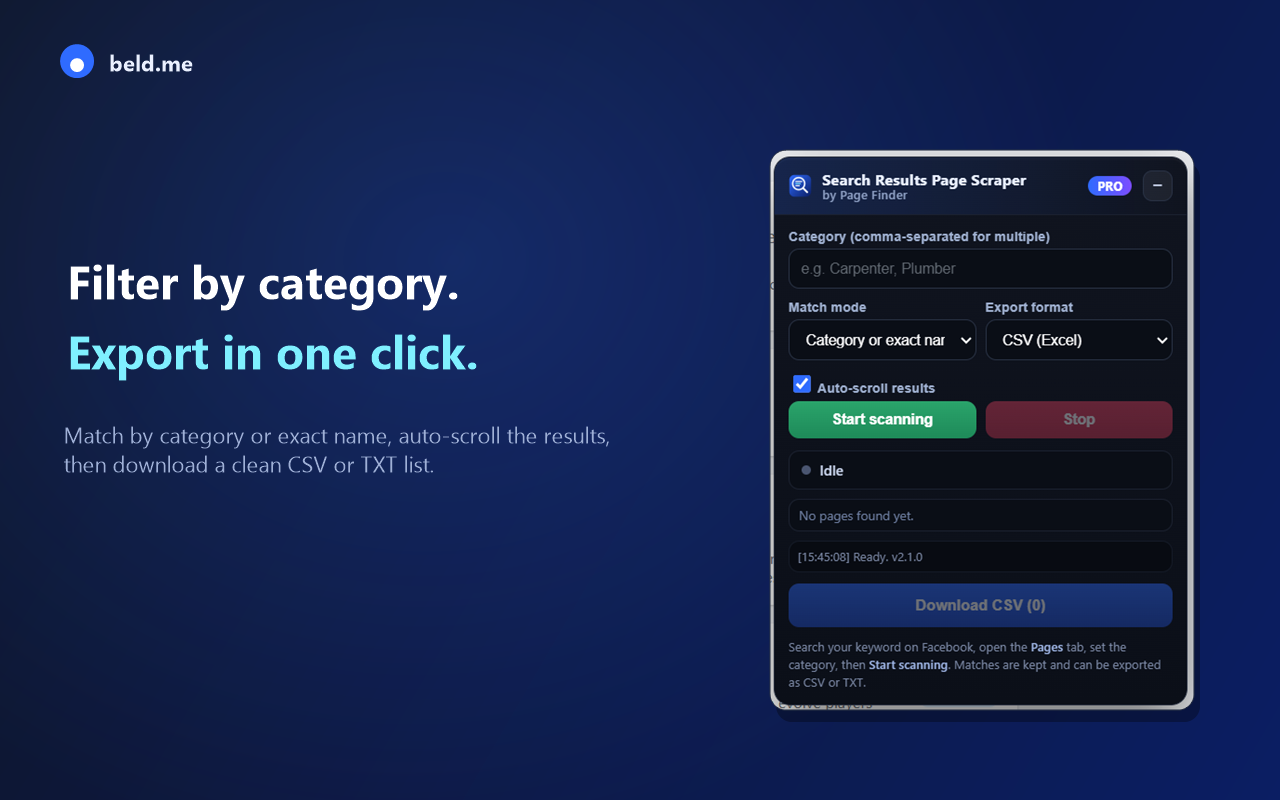
Filter by category
Match Pages by category (e.g. “Roofing service”, “Carpenter”) or exact name. Comma-separate several at once.
Auto-scroll results
It loads more results for you, so you don't have to keep scrolling to the bottom.
CSV or TXT export
Download a spreadsheet-ready CSV (Name, Category, URL) or a plain list of URLs.
Live, de-duplicated list
See every matched Page as it's found — no duplicates, no copy-pasting.
Clear progress
The download button shows real progress, so you always know when the file is ready.
Filter by category, right on the page
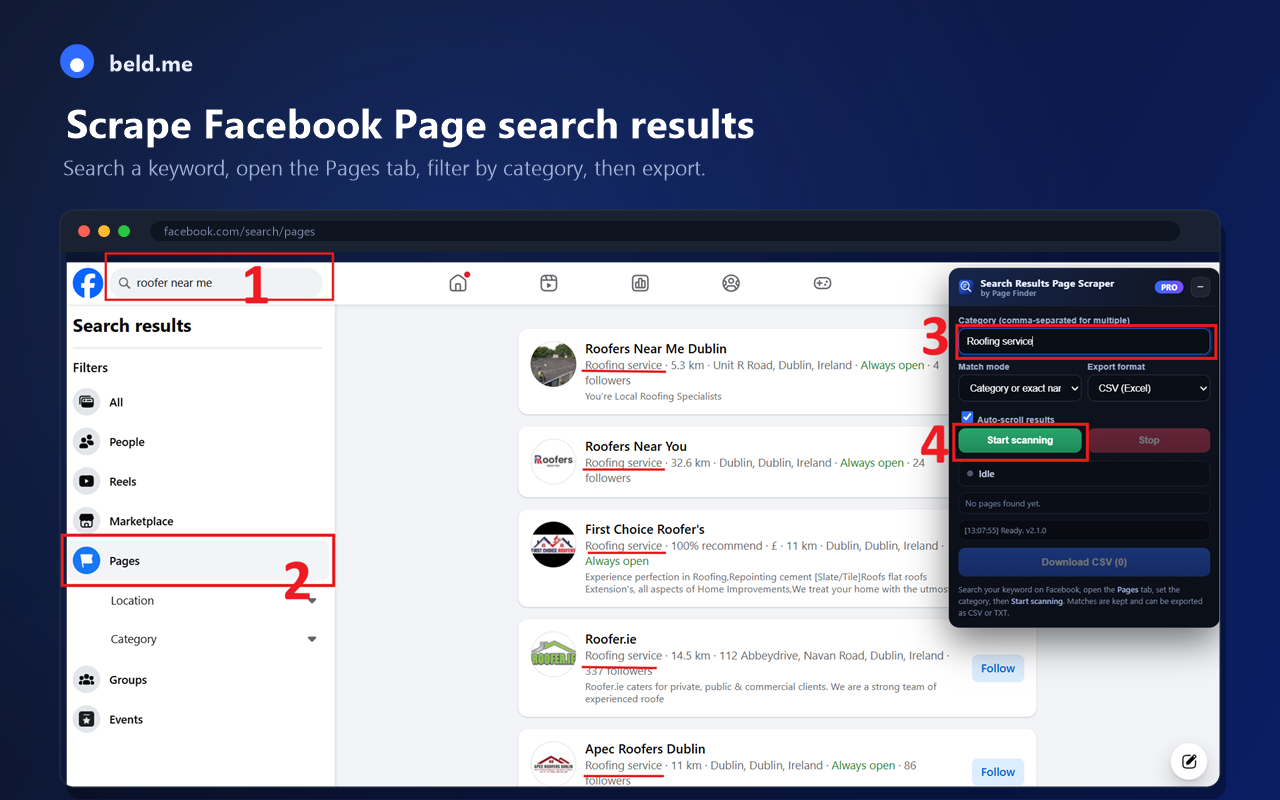
Open the Pages tab on Facebook, type the category you want in the floating panel, and hit Start scanning.
- Match by category or exact page name
- Auto-scroll loads more results
- Live list updates as matches appear
Export clean CSV or TXT
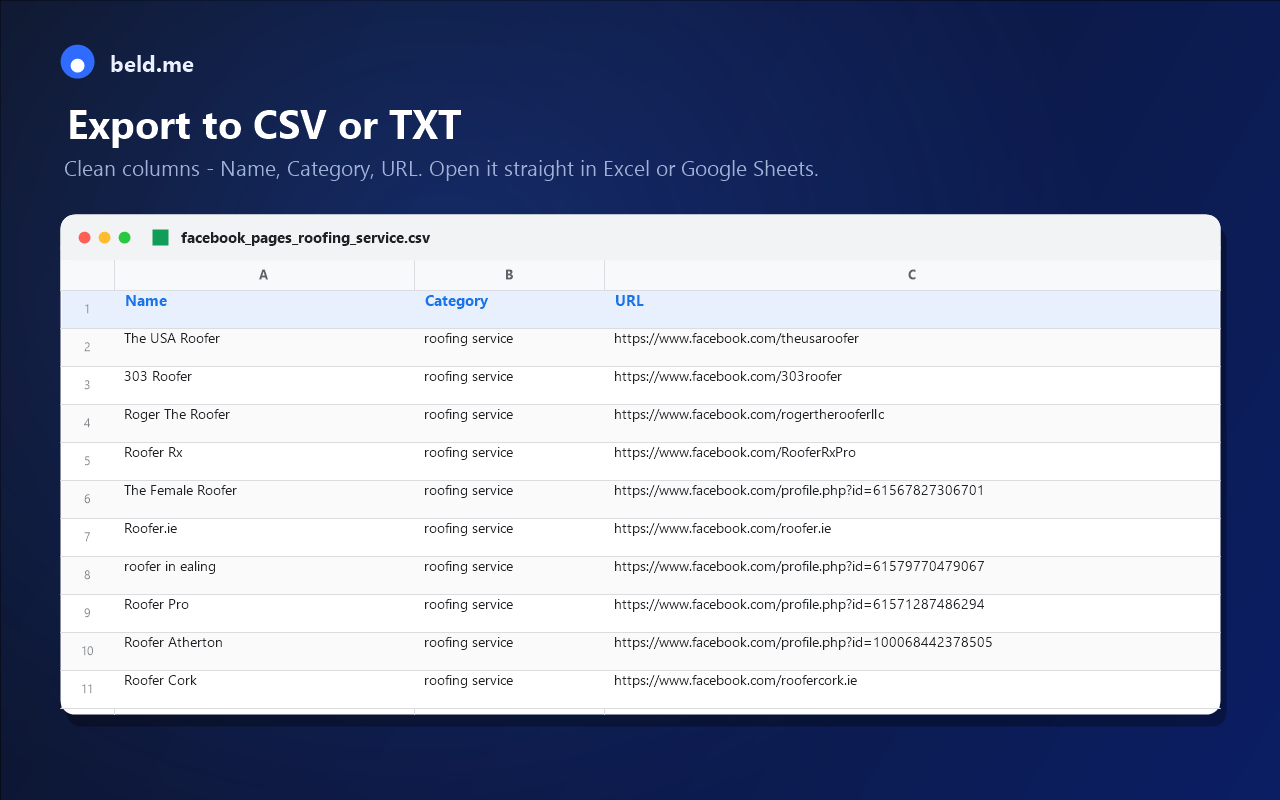
Get tidy columns — Name, Category, URL — ready to open in Excel or Google Sheets, or a plain list of URLs.
- Spreadsheet-ready CSV
- One-URL-per-line TXT
- Download progress indicator
Free to start, Pro when you scale
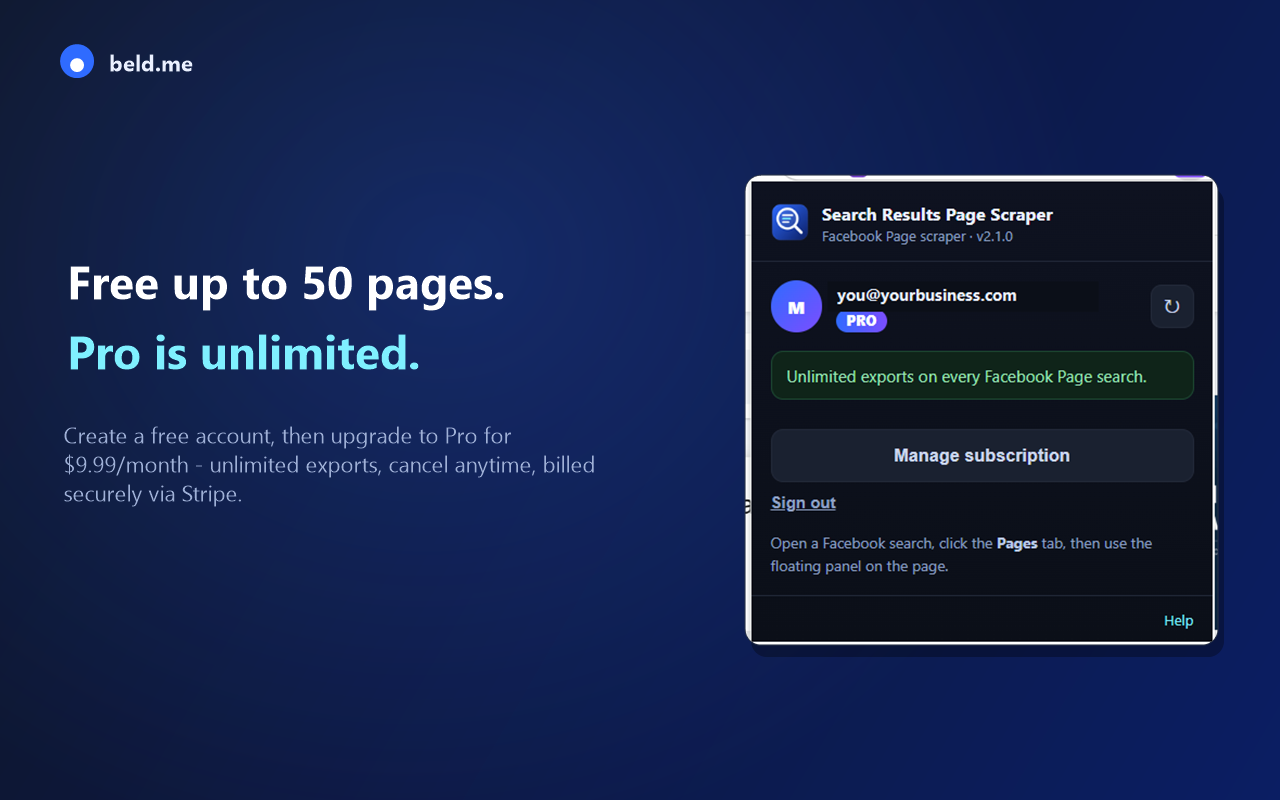
Create a free account and export up to 100 Pages. Upgrade to Pro for unlimited exports — one flat monthly price, cancel anytime.
- Free plan: up to 100 Pages
- Pro: unlimited exports for $9.99/month
- Billed securely via Stripe
See it in action
A quick walkthrough: search the Pages tab, filter by category, and export.
How it works
Three steps from search to spreadsheet.
Install & sign in
Add the extension and create a free account from the toolbar popup.
Search the Pages tab
On Facebook, search a keyword and open the Pages results tab.
Filter & export
Type your category, press Start scanning, then Download CSV or TXT.
Pricing
Start free. Upgrade inside the extension whenever you need more.
Free
- Export up to 100 Pages
- CSV and TXT export
- Category filtering & auto-scroll
Pro
- Unlimited Page exports
- Unlimited scanning
- Everything in Free
- Cancel anytime
FAQ
Is there a free plan?
Yes — export up to 100 Pages free. Pro removes the limit.
What formats can I export?
CSV (Name, Category, URL) for spreadsheets, or TXT with one URL per line.
How do I cancel Pro?
Open the extension popup → Manage subscription. Billing is handled by Stripe.
Is this affiliated with Facebook?
No. It's an independent tool, not endorsed by or affiliated with Meta Platforms, Inc.
Ready to build your list?
Install the Facebook Search Results Page Scraper and export your first list in minutes.
Add to Chrome — free